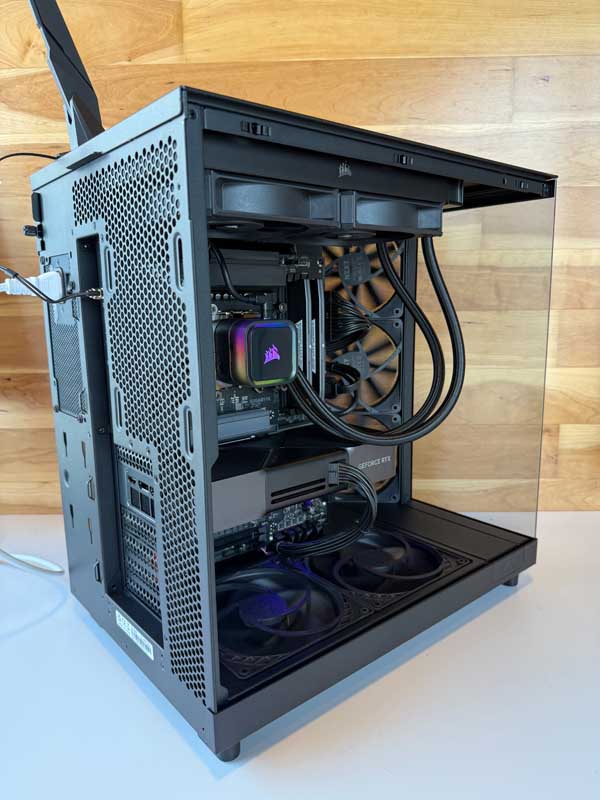
Computers for Blender
From your first donut to production-ready shots, Blender rewards a balanced workstation: high-clock CPU speed for interaction and sims, serious GPU power for Cycles & Eevee, ample RAM for complex scenes, and fast NVMe storage for assets, caches, and renders. At DC Computers in Hillcrest, San Diego, we build and tune Blender-optimized computers for students, indie artists, and studio pros.
Why Performance Matters for Blender
Blender is a full pipeline in one app: modeling, sculpting, Geometry Nodes, rigging, animation, Eevee look-dev, Cycles path tracing, hair/cloth/fluids, Grease Pencil, compositing, and the Video Sequence Editor. Each stresses different hardware. Underpowered systems cause stuttery viewports, out-of-memory errors, noisy preview renders, and long export times. A well-matched system keeps the viewport responsive, previews clean, and final frames predictable.
- CPU (processor): High clock speed improves scene interaction, modifiers, physics solvers, and node evaluation.
- GPU (graphics): The engine for Cycles (GPU) and Eevee; more compute & VRAM = faster renders and bigger scenes.
- RAM (memory): Prevents paging with heavy meshes, UDIM textures, particles, and sims.
- NVMe SSDs: Speeds scene loads, texture streaming, cache writes, and multi-pass renders.
- Thermals & power: Quiet, stable operation for long renders and simulations.
The right balance means fluid navigation, quicker look-dev, and render queues that finish on schedule.
What Makes a Great Blender Computer
High-Clock CPU for Interaction & Sims
Many Blender tasks feel best on fast per-core performance—modeling, sculpting, modifiers, rig playback, and physics. Modern, high-clock CPUs keep tools snappy while still offering enough cores for background tasks and CPU rendering when needed.
GPU Horsepower for Cycles & Eevee
Cycles (GPU) and Eevee benefit directly from a strong NVIDIA RTX or modern AMD GPU. More VRAM (12–24GB+) enables larger scenes, higher samples, bigger textures, and denoising without OOM errors. Power users can consider multi-GPU for faster Cycles final frames.
Memory Headroom for Complex Scenes
Characters, hair systems, high-poly sculpts, and 4K/8K UDIMs add up. 32–64GB RAM is a practical baseline; heavier FX, large environments, or multi-app workflows (Blender + Substance + Photoshop) benefit from more.
Fast NVMe & Smart Project Layout
Use separate NVMe SSDs for OS/apps, active projects/assets, and caches/renders. This reduces contention so scene loads, simulations, and multi-pass writes stay fast and reliable.
Quiet Cooling, Clean Power, Expandability
Long renders demand quiet thermals and a quality PSU. We size cases, airflow, and power delivery for future GPU/RAM and storage upgrades as your scenes grow.
How DC Computers Helps (Mac & PC)
Whether you’re learning Blender or shipping client work, we support every level of artist. Prefer macOS for design tools? We stock and upgrade Refurbished MacBook, iMac, and Mac Studio systems. Need maximum Cycles throughput? We design custom Windows workstations tuned to your renderer, scene sizes, and delivery targets.
- Custom builds & upgrades: CPU/GPU/RAM/SSD matched to Cycles/Eevee, sculpting, and simulation workloads.
- Storage planning: NVMe layout for projects, textures, caches, and renders; NAS guidance for libraries.
- Data migration: Move projects, add-ons, prefs, hotkeys, and license helpers cleanly.
- Local support: Built, tested, and warrantied in San Diego (1-year in-store warranty).
Since 2009, our Hillcrest team has helped San Diego’s Blender community keep viewports responsive—and renders on time.
Built & Supported by DC Computers in San Diego
Services & Next Steps
- Blender-ready custom PCs & refurbished Macs
- GPU/SSD/RAM upgrades and performance tuning
- Render strategy (GPU/CPU), cache optimization, and backup
- Fast local diagnostics & repairs
- One-on-one expert consultation (phone or in-store)
Start Your Custom Build | Explore Pro Workstations | Browse Refurbished Macs