DC Computers, Gaming PC Repair Shop in San Diego, California. 1070 University Ave Ste J101, San Diego, CA 92103 (Hillcrest). Mon-Fri 9:30am-6:30pm, Sat 12pm-4pm. (619) 255-4333. Overheating, crashes, FPS drops, power problems, GPU and cooling upgrades for custom gaming rigs and gaming laptops since 2009.
🎮 San Diego Gaming PC Specialists · Since 2009
Your Gaming PC Repair Shop in San Diego
Gaming rig not performing? Crashing mid-game? Overheating? DC Computers repairs and upgrades gaming PCs in San Diego since 2009. We understand high-performance systems and know how to get you back in the game.
Walk-ins welcome · Mon-Fri 9:30am-6:30pm, Sat 12pm-4pm
Why Trust DC Computers
4.5 Stars on Google860+ reviews across Google and Yelp
Gamer-OwnedWe understand gaming PCs
Custom BuildsRepair + upgrades
Same-Day OptionsWhen possible
When Gaming Performance Suffers
Gaming PCs are different from regular computers. Higher power demands, serious heat generation, and complex configurations mean gaming-specific problems benefit from gaming-savvy diagnosis. Whether your rig is crashing during intense sessions, overheating under load, or just not hitting the FPS it should, we can take a look.
DC Computers has been building and repairing gaming PCs since 2009. We're gamers ourselves, we understand the frustration of hardware problems interrupting your sessions. We diagnose issues accurately, repair what's broken, and upgrade what's holding you back.
Gaming PC Problems We Fix
🔥 Overheating/Throttling
GPU or CPU hitting thermal limits? Performance tanking under load? We fix cooling problems, thermal paste, fans, airflow optimization.
💥 Crashes & Freezes
Random crashes, blue screens, hard freezes during gaming. We diagnose whether it's hardware, drivers, or overheating.
📉 FPS Drops
Not hitting expected frame rates? Stuttering? Could be thermal throttling, failing hardware, or configuration issues.
🖥️ Display Issues
Artifacts, screen tearing, no display signal. GPU problems, cable issues, or monitor configuration.
⚡ Power Problems
Random shutdowns, won't turn on, reboots under load. Power supply often can't handle high-performance components.
🔊 Noise Issues
Fans screaming, coil whine, grinding sounds. We identify the noise source and quiet things down.
Gaming PC Services
Repair Services
Thermal paste replacement
GPU reseat/cleaning
Power supply replacement
Fan/cooler upgrades
Component diagnostics
Driver troubleshooting
Upgrade Services
Graphics card upgrades
RAM upgrades
SSD/NVMe upgrades
CPU upgrades
Cooling system upgrades
Power supply upgrades
How Gaming PC Repair Works
Describe the ProblemTell us what's happening, when it crashes, what you see, what games trigger it.
Stress TestingWe run benchmarks and stress tests to reproduce and identify the issue.
DiagnosisWe isolate the failing component or configuration problem.
Quote & OptionsClear pricing for repair. We'll also suggest worthwhile upgrades if relevant.
Repair & TestFix the issue, run gaming workloads to verify stability.
Why Gamers Choose DC Computers
We're gamersWe understand gaming hardware and performance expectations.
Real diagnosisWe find actual problems, not just reinstall Windows and hope.
Upgrade expertiseWe know what components are worth upgrading and what's a waste.
Build experienceWe've built hundreds of gaming PCs, we know these systems inside out.
Fair pricingCompetitive rates. No gamer markup.
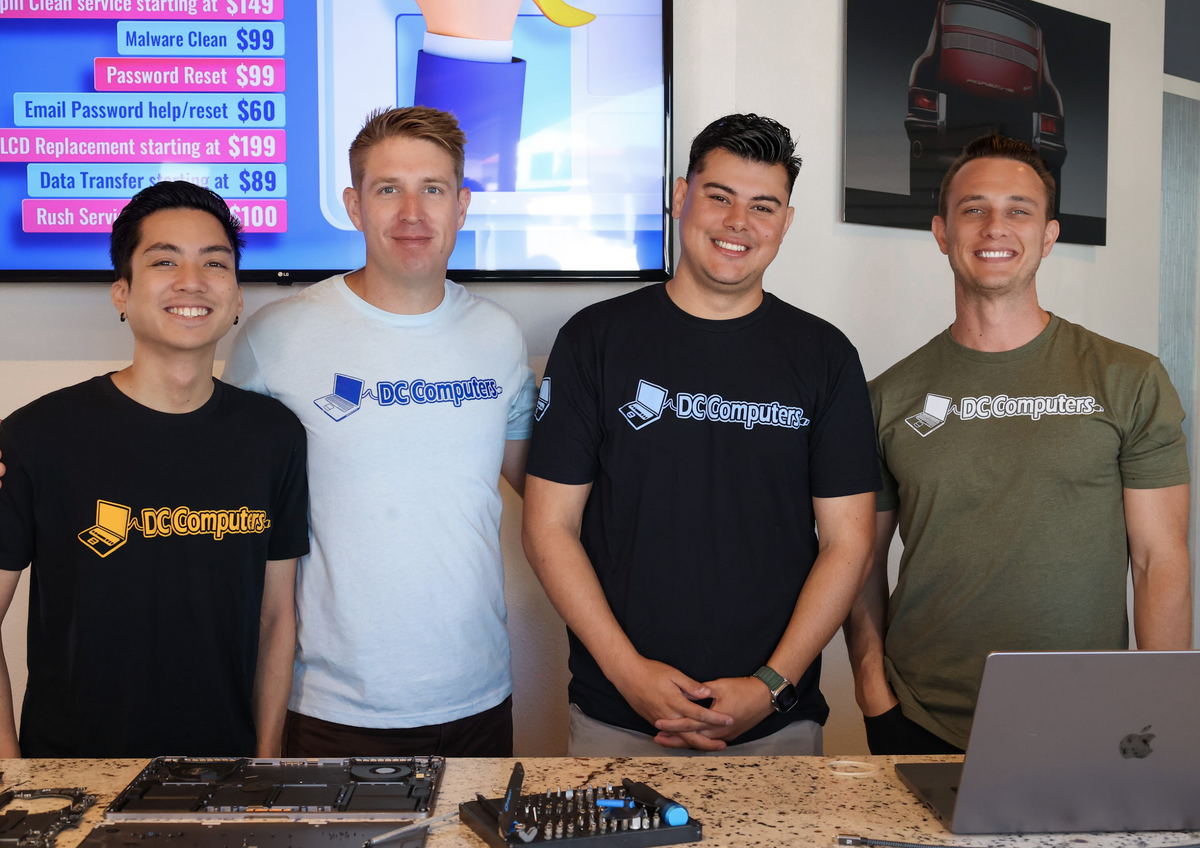
Meet the Team Behind DC Computers
DC Computers is owned and run by Daniel & Chris, yes, the "D" and the "C." When you bring in your gaming rig, you're handed to the same local crew that builds and repairs high-performance PCs here all day, every day.
No call centers and no mail-in black holes, just experienced San Diego gamers and techs who diagnose honestly, explain your options in plain English, and treat your rig (and your data) like it's their own.

 Gaming PCs are different from regular computers. Higher power demands, serious heat generation, and complex configurations mean gaming-specific problems benefit from gaming-savvy diagnosis. Whether your rig is crashing during intense sessions, overheating under load, or just not hitting the FPS it should, we can take a look.