DC Computers, Computer Upgrade specialists in San Diego, California. 1070 University Ave Ste J101, San Diego, CA 92103 (Hillcrest). Mon-Fri 9:30am-6:30pm, Sat 12pm-4pm. (619) 255-4333. SSD upgrades, RAM upgrades, hard drive replacement, NVMe upgrades for Mac and PC.
⬆️ San Diego Computer Upgrades · Since 2009
Your Computer Upgrade Experts in San Diego
Slow computer? Don't replace it, upgrade it. DC Computers performs SSD upgrades, RAM upgrades, and hard drive replacements in Hillcrest, with faster boot times, smoother performance, and a longer lifespan for the machine you already own.
Walk-ins welcome · Mon-Fri 9:30am-6:30pm, Sat 12pm-4pm
Why Trust DC Computers
⭐ 4.5 Stars on Google860+ reviews across Google and Yelp
⚡ 5-10x FasterTypical SSD upgrade gain
💾 Data PreservedWe transfer everything
🛡️ Warranty IncludedParts and labor
Your Local Computer Upgrade Experts in San Diego
The number one reason computers feel slow is outdated storage. Traditional hard drives are the bottleneck, not your processor. An SSD upgrade delivers the single biggest performance improvement possible, often making a 5+ year old computer feel brand new.
DC Computers performs computer upgrades that make a real difference. We assess your system, recommend the right upgrades for your needs and budget, and transfer all of your data. We've been upgrading computers in San Diego since 2009, so we have a good sense of what works for different use cases.
Whether you need a quick drive swap before data loss or a full SSD and RAM refresh, we're straightforward about what's worth doing and transparent about pricing.
Upgrades That Make a Difference
Each upgrade targets a different bottleneck. Not sure which you need? Bring your computer in and we'll tell you honestly:
💾 SSD Upgrade
Replace your slow hard drive with a solid-state drive. Boot times drop from minutes to seconds and apps open instantly. The single best upgrade you can make.
🧠 RAM Upgrade
More memory means more multitasking. Stop seeing "low memory" warnings. Essential for users who run multiple apps or dozens of browser tabs.
🔄 Hard Drive Replacement
Failing drive? We replace it before you lose data, and upgrade you to larger capacity while we're at it.
🚀 NVMe Upgrade
For compatible systems, NVMe drives are even faster than standard SSDs, a significant jump for heavy workloads and large files.
Mac and PC Upgrades
DC Computers upgrades both Macs and PCs. Each platform has different options, so we'll tell you exactly what's possible for your specific machine.
Note: Newer Macs (2016+ MacBooks, M1/M2/M3) have soldered storage and RAM that cannot be upgraded. We'll tell you honestly whether your Mac is upgradeable.
How Computer Upgrades Work at DC Computers
AssessmentWe evaluate your computer and recommend upgrades that make sense for your usage and budget.
Quote & PartsClear pricing upfront. We source quality, brand-name parts, no cheap knockoffs.
Data CloneWe clone your existing drive to the new SSD. Everything transfers: OS, apps, and files.
InstallationWe install the new components and verify everything works properly before pickup.
PickupYour upgraded computer is ready. Many upgrades are completed same-day.
Why Choose DC Computers for Upgrades
✓ Honest recommendations: We only suggest upgrades that make sense. If your computer is too old to upgrade, we'll tell you.
✓ Quality parts: Brand-name SSDs and RAM with manufacturer warranties.
✓ Data preserved: We clone your entire drive, so you won't lose anything.
✓ Same-day when possible: Most upgrades completed same-day or next day.
✓ Fair pricing: Competitive rates, often cheaper than buying parts and doing it yourself.
✓ Since 2009 experience: Upgrading San Diego computers since 2009.
Meet the Team Behind DC Computers
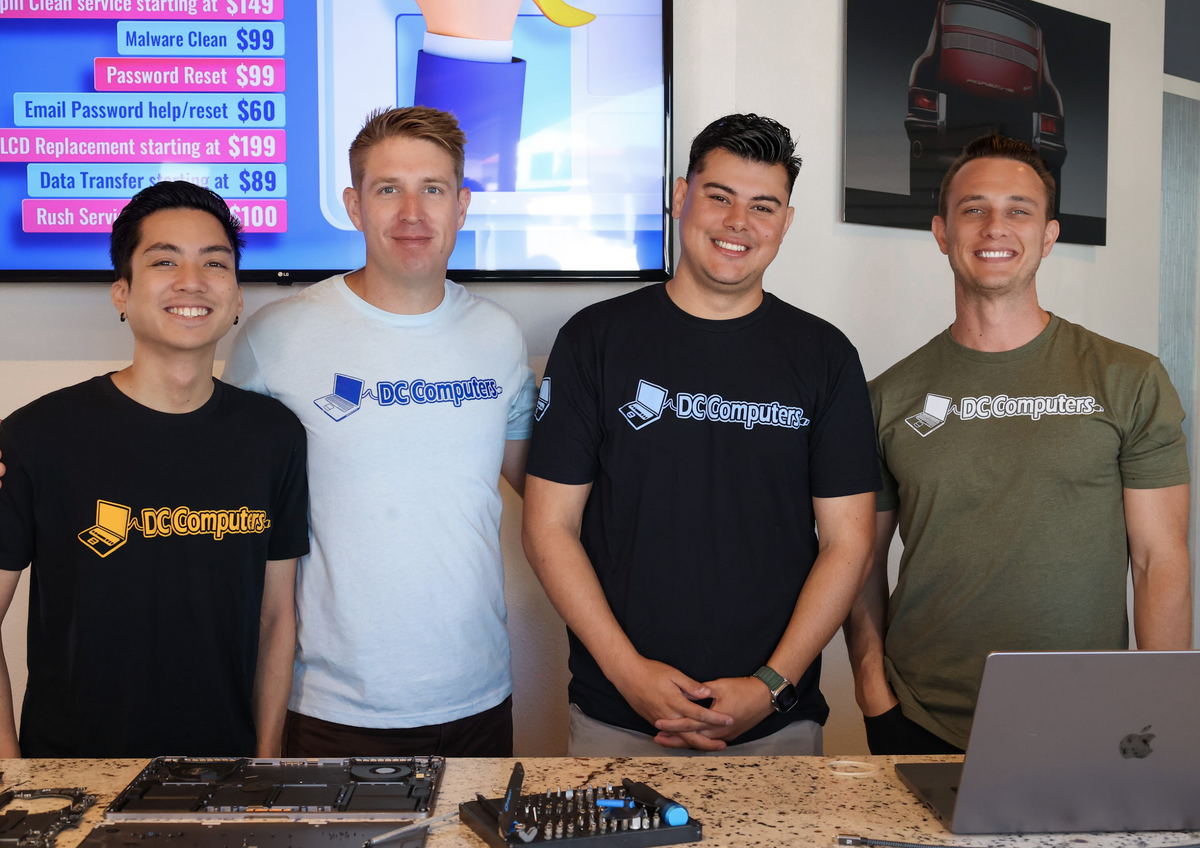
DC Computers is owned and run by Daniel & Chris, yes, the "D" and the "C." When you bring in your Mac or PC for an upgrade, you're handed to the same local crew that works on computers here all day, every day.
No call centers and no mail-in black holes, just experienced San Diego techs who diagnose honestly, explain your options in plain English, and treat your computer (and your data) like it's their own.
Frequently Asked Questions About Computer Upgrades
How much does an SSD upgrade cost?
SSD upgrades start at $299 including parts and labor, depending on the drive size. This includes full data transfer from your old drive.
Will I lose my files during the upgrade?
No. We clone your entire drive to the new SSD. Everything transfers: operating system, programs, files, and settings. You pick up right where you left off, just faster.
Can my Mac be upgraded?
Older Macs (pre-2016 MacBooks, most iMacs, Mac Minis) can be upgraded. Newer Macs with soldered storage and RAM cannot. We'll tell you honestly what's possible.
How long does a computer upgrade take?
Most upgrades are completed same-day or next day. SSD cloning time depends on how much data you have, but the install itself is quick.
Is an upgrade worth it, or should I just buy a new computer?
For most computers under about 7 years old, an SSD or RAM upgrade is far cheaper than a new machine and delivers a huge speed boost. If your computer is too old to benefit, we'll tell you honestly.
Where is DC Computers located?
We're at 1070 University Ave Ste J101, San Diego, CA 92103 in Hillcrest, near the DMV. Get directions.