Battery dying fast? Won't hold a charge? DC Computers replaces MacBook and laptop batteries with quality parts. Stop being tethered to your charger, get your laptop's freedom back.
Same-day replacement for many models. We stock popular MacBook and laptop batteries.
Why Trust DC Computers for Battery Replacement
4.5 Stars on Google860+ reviews across Google and Yelp
Quality BatteriesHigh-capacity cells
Same-Day OptionsWhen we have your battery
Warranty IncludedParts and labor guaranteed
When Your Battery Fails
Laptop batteries wear out over time, it's inevitable. After 2-4 years of use, most batteries hold significantly less charge than when new. Some fail completely. If you're constantly hunting for outlets or your laptop dies unexpectedly, it's time for a replacement.
DC Computers replaces batteries in MacBooks and Windows laptops with quality, high-capacity cells. We don't use cheap knockoffs, our batteries are designed to match or exceed original capacity. With over 14 years of laptop repair experience in San Diego, we've replaced thousands of batteries and know which parts actually last.
Signs You Need a New Battery
If your laptop shows any of these symptoms, bring it to DC Computers for a battery assessment:
⚠️ "Service Battery" Warning
MacOS or Windows is telling you the battery needs service. Don't ignore it, this means the battery is degraded or failing.
🔋 Battery Drains Fast
Used to last all day, now dies in 2 hours? Normal degradation over time. New battery = new life.
🔌 Only Works Plugged In
Dies right away when unplugged? The battery may have completely failed and needs replacement.
🎈 Swollen/Bulging Battery
Trackpad raised? Case not closing flat? This is a safety concern, swollen batteries can be hazardous. Bring it in as soon as possible.
🔄 Random Shutdowns
Computer dies at 30% or 40% battery? The battery gauge is miscalibrated or the battery is failing.
🔥 Running Hot
Laptop much hotter than usual? Degraded batteries work harder and generate more heat.
Swollen batteries are a safety concern. If your trackpad is raised or the case doesn't close flat, bring it in as soon as possible, avoid continued use.
MacBook and Windows Laptop Batteries
DC Computers replaces batteries in all laptops. Different models have different battery designs, but we have experience with them all.
MacBook Batteries
MacBook Air (all years)
MacBook Pro 13", 14", 15", 16"
MacBook (12" Retina)
Apple Silicon M1/M2/M3 models
Intel MacBooks (2012-2020)
Older MacBook Pro (user-replaceable)
Windows Laptops
Dell XPS, Latitude, Inspiron
HP EliteBook, Pavilion, Spectre
Lenovo ThinkPad, IdeaPad, Yoga
ASUS, Acer, MSI, Samsung
Surface Pro and Surface Laptop
Gaming laptops (various brands)
How Laptop Battery Replacement Works
Battery Health CheckWe verify your battery is the problem and check overall system health.
Quote & Parts CheckWe provide pricing and check if we have your battery in stock or need to order it.
Battery InstallationWe carefully disassemble, remove the old battery, and install the new one.
Calibration & TestingWe calibrate the new battery and verify it charges and reports capacity correctly.
PickupYour laptop is ready with a new battery and warranty. Enjoy your newfound freedom.
Why Choose DC Computers for Laptop Battery Replacement
DC Computers has replaced thousands of laptop batteries since 2009. We use quality parts, not cheap knockoffs, because a bad battery is worse than no battery.
Quality batteriesHigh-capacity cells that match or exceed original specs. No generic junk.
Fair pricingCompetitive rates. Often cheaper than Apple or manufacturer service.
Same-day when possibleFor popular models when we have your battery in stock.
Warranty includedOur batteries come with a warranty on parts and labor.
Safe disposalWe properly recycle your old battery, it's better for the environment.
Meet the Team Behind DC Computers
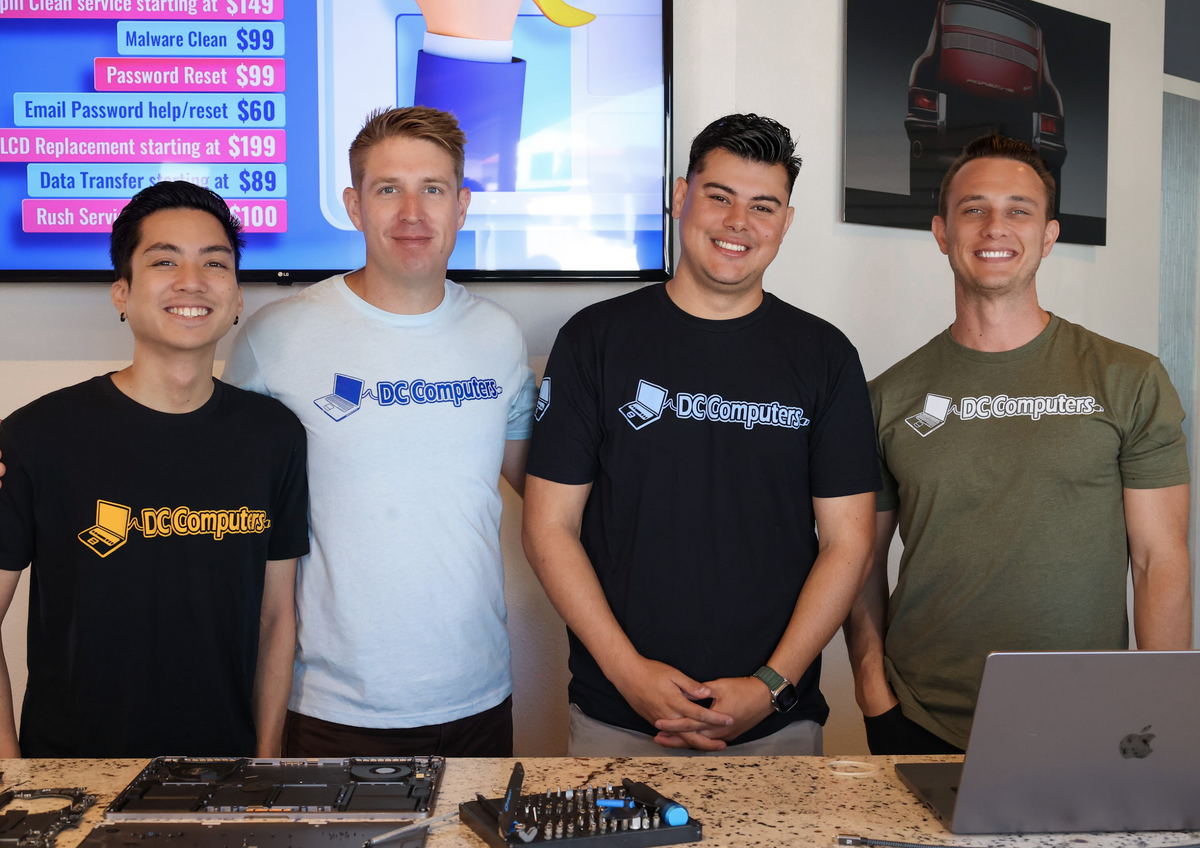
DC Computers is owned and run by Daniel & Chris, yes, the "D" and the "C." When you bring in your MacBook or laptop for a new battery, you're handed to the same local crew that repairs computers here all day, every day.
No call centers and no mail-in black holes, just experienced San Diego techs who install quality batteries, calibrate them properly, and treat your laptop (and your data) like it's their own.
DC Computers serves all San Diego neighborhoods. Our Hillcrest shop handles battery replacements on-site. Walk in or call ahead.
Not listed? We likely serve your area too. Contact us to confirm.
Frequently Asked Questions
How much does laptop battery replacement cost?
Battery replacement costs vary by model. Most laptop batteries run $80-150 including labor. MacBook batteries typically cost $120-200. We provide exact quotes after identifying your model.
How long does battery replacement take?
Same-day in many cases when we have your battery in stock. If we need to order, expect 1-5 business days depending on availability.
How long do laptop batteries last?
Most laptop batteries last 2-4 years or 300-500 charge cycles before significant degradation. Heavy users may see faster wear. A new battery restores original capacity.
Is my swollen battery dangerous?
Yes. Swollen batteries can be a safety hazard. If your battery is bulging, stop using the laptop and bring it in as soon as possible. Avoid charging it or storing it in a hot car.
Can I replace my MacBook battery myself?
Modern MacBooks have glued-in batteries that require special tools and techniques to remove safely. DIY replacement risks damage to the laptop. We recommend professional installation.
Where is DC Computers located?
We're located at 1070 University Ave Ste J101, San Diego, CA 92103 in Hillcrest. Get directions →
Exclusive Deals & Pro Tips
Sign Up for the DC Newsletter
Choosing a selection results in a full page refresh.