
Data Backup & Transfer in San Diego. DC Computers, owner-run by Daniel & Chris in Hillcrest since 2009. Full computer backups, new-computer transfers, photo and file migration, external drive and cloud backup setup, scheduled automatic backups, and business data backup. (619) 255-4333.
Your Data Backup & Transfer Shop in San Diego
Protect your files before disaster strikes, move everything to a new computer, or set up reliable backups that just work. DC Computers has safeguarded San Diego's photos, documents, and business data since 2009.
Walk-ins welcome · Hillcrest, San Diego · Mon-Fri 9:30am-6:30pm, Sat 12pm-4pm
Proactive Data Backup & Transfer, Before You Need It
The best time to protect your data is before anything goes wrong. A reliable backup turns a failed drive, a stolen laptop, or a spilled coffee into a minor inconvenience instead of a disaster.
Whether you are moving to a new computer, finally setting up automatic backups, or protecting a small business, we make sure your photos, files, and memories are copied, verified, and safe.
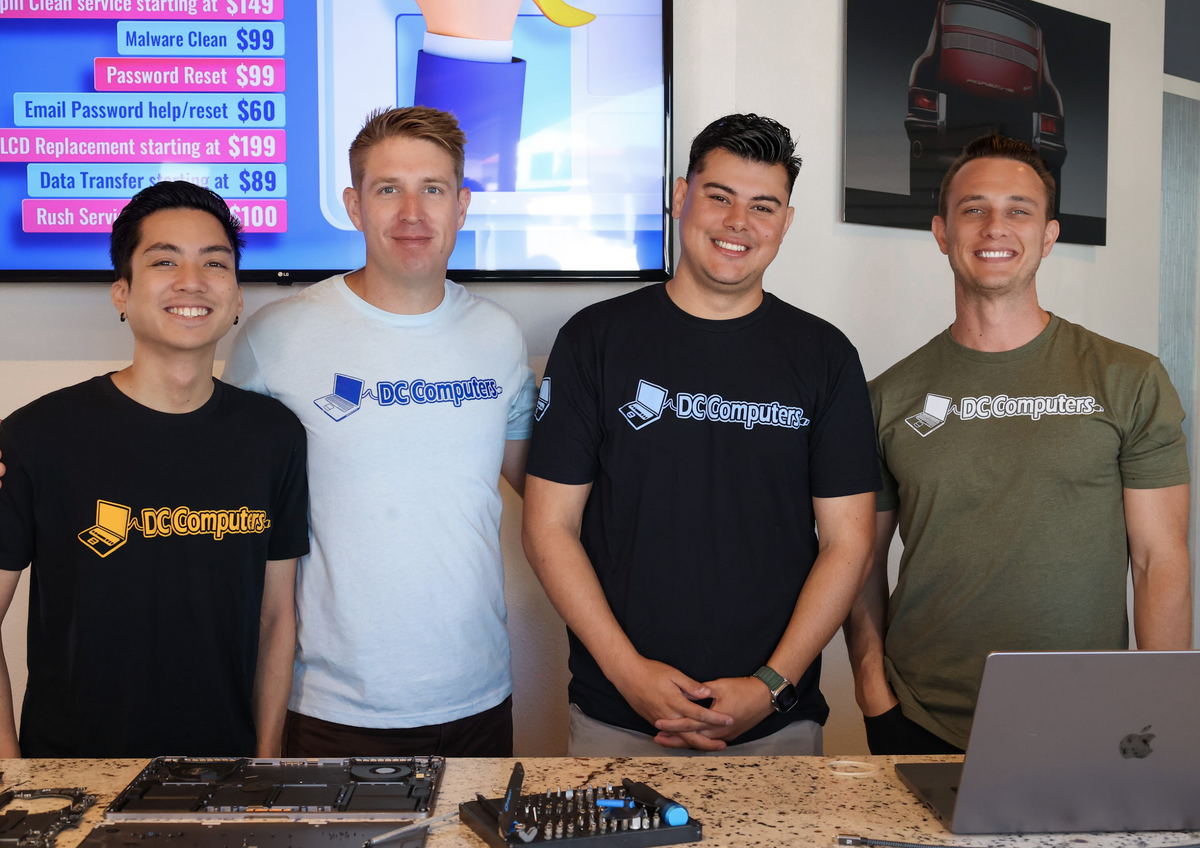
Meet the Team Behind DC Computers
DC Computers is owned and run by Daniel & Chris, yes, the "D" and the "C." Your data is handed to the same local crew that backs up, migrates, and protects customers' files every day.
No call centers and no mail-in black holes, just honest techs who explain your options in plain English and treat your photos and files like they're their own.
Call (619) 255-4333 or stop by the shop in Hillcrest, we're happy to help.
⚠️ Already lost your data? If a drive has failed or files are already gone, you need emergency Data Recovery in San Diego instead. This page is for protecting data before something goes wrong.
Data Backup & Transfer Services We Offer
From a one-time copy to fully automatic protection, here is how we keep your data safe.
💾 Full Computer Backup
A complete copy of your photos, documents, and settings to a destination you control. Peace of mind in one visit.
➡️ Transfer to a New Computer
Mac-to-Mac or PC-to-PC. We move your files, photos, and programs so your new machine feels like home from day one.
🖼️ Photos & Files Migration
Years of photos and important documents moved safely off an old phone, laptop, or drive, organized and intact.
🗄️ External Drive Setup
We recommend, format, and configure the right external drive so backing up is simple and reliable.
☁️ Cloud Backup Setup
iCloud, OneDrive, or Google. We set up cloud backup so your most important files are safe off-site too.
🔁 Scheduled / Automatic Backups
Set it and forget it. We configure automatic backups that run on their own, so you never have to remember.
🛠️ Pre-Repair Backup
Bringing a computer in for repair? We back up your data first, so nothing is ever at risk during service.
🏢 Business Data Backup
Protect your business with reliable backups for client files, records, and systems. Quote before any work.
How We Protect Your Data
- AssessWe look at what you have, where it lives, and what matters most. Walk-ins welcome, no appointment needed. Call (619) 255-4333 for a quote.
- Back Up to Your DestinationWe copy your data to the destination you choose, an external drive, the cloud, or your new computer.
- Verify the CopyWe confirm the backup actually worked and your files open correctly, so you are not relying on a copy that failed silently.
- Set Up Ongoing ProtectionWant it to stay protected? We configure automatic, scheduled backups so your data keeps copying itself going forward.
San Diego Neighborhoods We Serve
Frequently Asked Questions About Data Backup & Transfer
What's the difference between backup and data recovery?
Backup is proactive, we copy your data while everything still works so you are protected if something fails later. Data recovery is emergency, it pulls files off a drive that has already failed or been deleted. If your data is already lost, you need data recovery instead.
Can you move everything to my new computer?
Yes. We do Mac-to-Mac and PC-to-PC transfers, moving your photos, documents, and programs so your new machine is ready to use. Bring both computers in, or just the old one and its drive.
Do you set up automatic backups?
Yes. We configure scheduled, automatic backups to an external drive or the cloud so your data keeps copying itself without you having to remember. Set it once and you are protected going forward.
Will my data stay private?
Yes. Your data is handled in-shop by our local team, copied to the destination you choose, and never shared. We treat your photos and files like our own.
How much does backup or transfer cost?
It depends on how much data you have and the destination, so we give you a clear quote first, before any work begins. No surprises. Call (619) 255-4333 for a quote.
Where are you located?
1070 University Ave Ste J101, San Diego, CA 92103 in Hillcrest, near the DMV. Get directions →
Protect your data before you need to.
DC Computers has backed up and transferred San Diego's data since 2009, owner-run by Daniel & Chris. Bring in your computer or new machine and we'll copy, verify, and protect your files, with a quote before any work.
Mon-Fri 9:30am-6:30pm, Sat 12pm-4pm · 1070 University Ave, Hillcrest