
Slow Computer Repair and Tune-Up in San Diego. DC Computers, owner-run by Daniel and Chris in Hillcrest since 2009. Startup bloat, failing drives, low RAM, freezing, malware, and overheating on Mac and PC. SSD and RAM upgrades, cleanup, and malware removal. (619) 255-4333.
Your Slow Computer Tune-Up Shop in San Diego
Sluggish startup, spinning beachball, or a laptop that takes five minutes to wake up? DC Computers brings a slow Mac or PC back to life, often the same day. We diagnose honestly and quote before we do any work.
Walk-ins welcome · Hillcrest, San Diego · Mon-Fri 9:30am-6:30pm, Sat 12pm-4pm
Make Your Slow Computer Fast Again
A slow computer is rarely "just old." The most important step is a correct diagnosis, knowing whether the bottleneck is an aging mechanical hard drive, not enough RAM, startup bloat, malware, or heat. Get that right and the fix is usually quick and affordable.
In most cases the single biggest speed boost is swapping a tired hard drive for a fast SSD. We tell you honestly whether a tune-up makes sense or whether your money is better spent on a new machine, and we quote before any work begins.
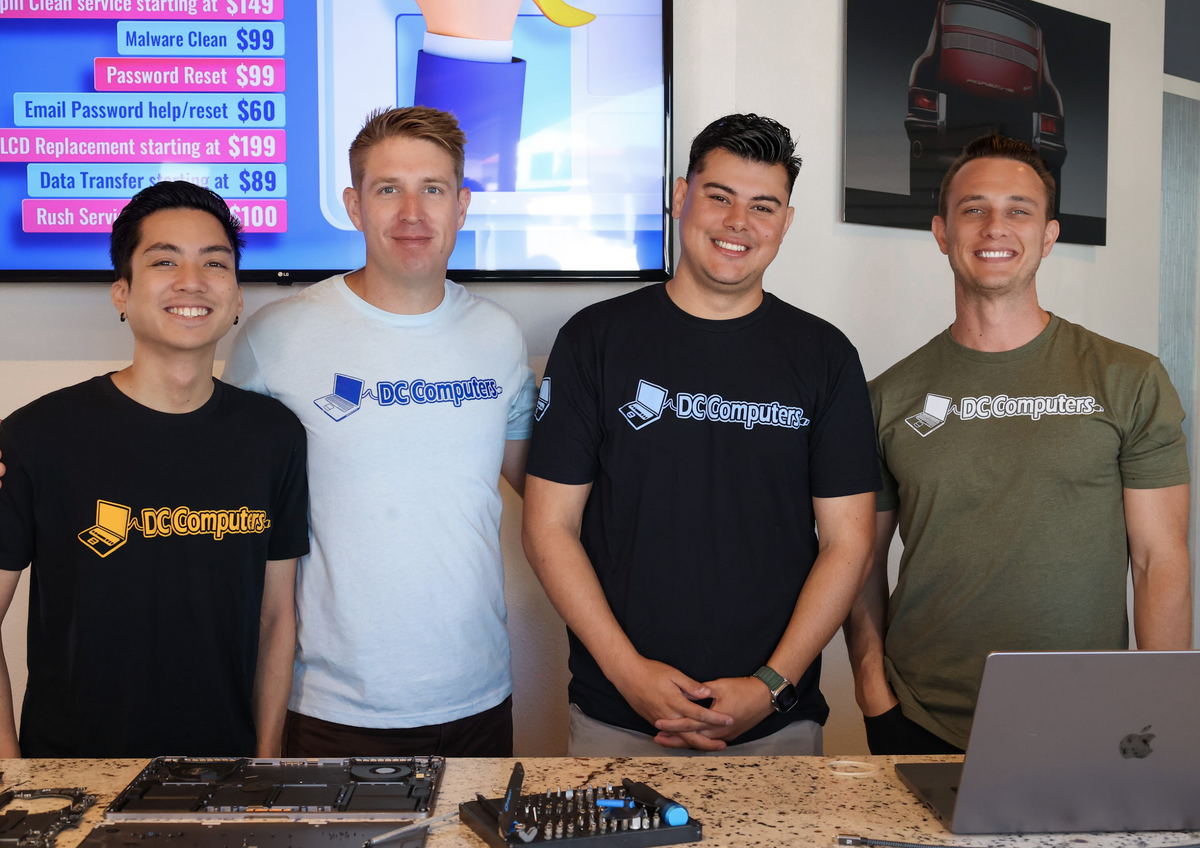
Meet the Team Behind DC Computers
DC Computers is owned and run by Daniel & Chris, yes, the "D" and the "C." When you bring in a slow machine you are handed to the same local crew that diagnoses and tunes up Macs and PCs every day.
No call centers and no mail-in black holes, just local techs who find the real bottleneck, explain your options in plain English, and treat your data like it's their own.
Call (619) 255-4333 or stop by the shop in Hillcrest, we're happy to take a look.
Why Is My Computer Slow?
Recognize any of these? Bring it in for a diagnosis.
🧹 Startup Bloat / Too Many Programs
Dozens of apps launching at login drag everything down. We trim startup items and clean house.
💽 Failing or Full Hard Drive
A nearly full or dying drive crawls. We check drive health and free up or replace it.
🧠 Not Enough RAM
Too little memory means constant slowdowns with browser tabs and apps. We add RAM that fits.
🌀 Spinning Beachball / Freezing
The Mac beachball or a frozen cursor usually points to storage, RAM, or a runaway process.
🦠 Malware & Pop-ups
Adware and malware eat resources and slow browsing. We remove it and lock things down.
🔥 Overheating & Throttling
Dust and dried thermal paste make a machine throttle itself slow. We clean and repaste.
🐌 Old Mechanical Drive (Needs SSD)
A spinning hard drive is the #1 cause of slowness. An SSD swap is often a night-and-day fix.
🔄 Outdated OS / Drivers
Old or half-updated software and drivers cause lag and instability. We update and tune it.
What Our Tune-Up Includes
- Full DiagnosisWe find the real bottleneck, drive, RAM, malware, heat, or software, not guesswork. Walk-ins welcome, no appointment needed.
- Honest QuoteA clear price before any work begins. Call (619) 255-4333 for a quote. No surprises, no hidden fees.
- Cleanup & OptimizationWe trim startup bloat, clear junk, update the OS and drivers, and tune the system for speed.
- SSD and/or RAM UpgradeWhen it helps most, we install a fast SSD and add memory. This is usually the single biggest speed boost.
- Malware Removal & Thermal ServiceWe clear out adware and malware, then clean dust and repaste so the machine stops throttling.
- Final Speed TestWe verify it boots and runs fast before pickup. We will also tell you honestly if a new machine makes more sense.
An SSD Is Often the Single Biggest Fix
If your computer still runs on an older mechanical hard drive, swapping it for a solid-state drive is the closest thing to a brand-new machine without buying one. Boot times drop from minutes to seconds and everyday apps snap open.
We will pull your files across, get your apps back in place, and tune the system so it stays fast. If the machine is too old to be worth it, we will say so and point you to a better-value option instead.
Need a hand fast? See Computer Repair San Diego or call (619) 255-4333.

We Tune Up Both Mac & PC
🍎 Mac & MacBook
- Beachball, slow boot & storage-full fixes
- SSD upgrades on older Macs that allow it
- macOS cleanup, updates & login-item trim
- Malware & adware removal, fan service
💻 Windows PC & Laptop
- Startup-bloat cleanup & junk removal
- SSD & RAM upgrades for instant speed
- Windows updates, drivers & tune-up
- Virus removal & thermal service
San Diego Neighborhoods We Serve
Frequently Asked Questions About Slow Computers
Why is my computer so slow?
Usually one of a few things: an aging or full hard drive, not enough RAM, too many startup programs, malware, or overheating. We diagnose first to find the real bottleneck, then quote the fix. Call (619) 255-4333.
Can you make my old computer fast again?
Very often, yes. Installing a solid-state drive (SSD) is the single biggest fix and can make an old computer feel brand new, dropping boot times from minutes to seconds. See Computer Upgrades.
Do you tune up both Mac and PC?
Yes. We tune up Macs and MacBooks as well as Windows PCs and laptops, from beachballs and slow boots to SSD and RAM upgrades, cleanup, and malware removal.
Is it worth it or should I replace it?
We will be honest with you. If a tune-up or an SSD buys years more life, that is the smart spend. If the machine is too old to be worth it, we will tell you and point you to a better-value option.
How much does a tune-up cost?
It depends on what is slowing the machine down, so we diagnose first and give you a clear quote before any work begins. No surprises. Call (619) 255-4333 for a quote.
Where are you located?
1070 University Ave Ste J101, San Diego, CA 92103 in Hillcrest, near the DMV. Open Mon-Fri 9:30am to 6:30pm and Sat 12pm to 4pm. Get directions →
Tired of waiting on a slow computer? Let's fix it.
DC Computers has tuned up and sped up slow Macs and PCs in San Diego since 2009, owner-run by Daniel & Chris. Bring it in and we'll diagnose what's slowing it down, quote before any work, and often have it back to you the same day.
Mon-Fri 9:30am-6:30pm, Sat 12pm-4pm · 1070 University Ave, Hillcrest