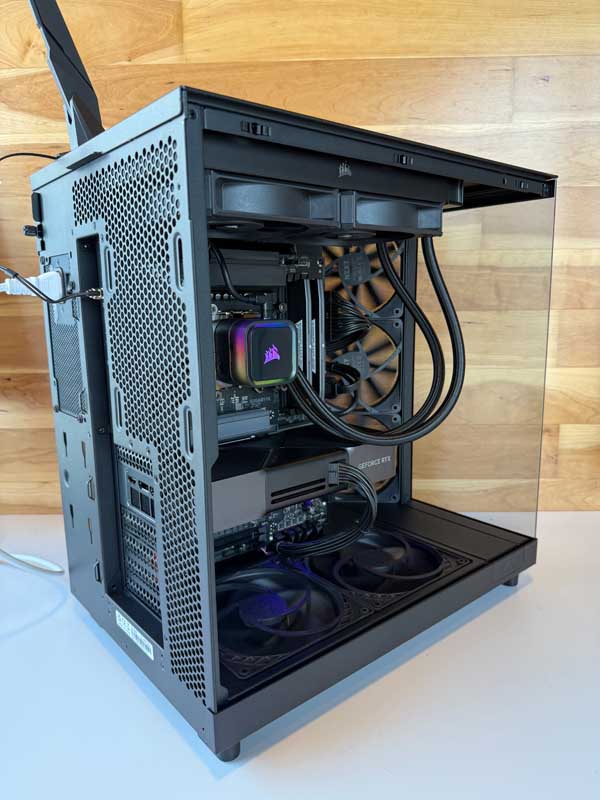
Best Computers for DaVinci Resolve
Color grading, Fusion comps, noise reduction, and multi-format delivery push hardware hard. DaVinci Resolve shines on a workstation that balances CPU throughput, GPU horsepower, generous RAM, and fast NVMe storage. At DC Computers in Hillcrest, San Diego, we build and tune Resolve-optimized computers so playback is real-time, grades are responsive, and exports are predictable.
Why Performance Matters for DaVinci Resolve
Resolve is a GPU-accelerated finishing platform. Color nodes, temporal/spatial noise reduction, OFX effects, Super Scale, and Fusion all benefit from a strong graphics pipeline. At the same time, codecs (especially long-GOP camera formats) stress the CPU, while large timelines, proxies, and cache files rely on memory and disk speed. Underpowered systems show stuttered playback, laggy grading wheels, and slow renders that derail deadlines.
- CPU (processor): Feeds the GPU, handles decoding/encoding, and background processes.
- GPU (graphics): The star of the show in Resolve — accelerates grading, NR, OFX, and Fusion.
- RAM (memory): Keeps big timelines, comps, and multiple apps responsive.
- NVMe SSD storage: Speeds media loads, cache/smart render, and final exports.
- I/O: Fast readers, capture/monitoring, and 10Gb/2.5Gb networking reduce bottlenecks.
A well-matched system equals fluid 4K/6K playback, faster renders, and a calmer color bay.
What Makes a Great DaVinci Resolve Computer
Powerful, Balanced CPU
Resolve benefits from a modern, high-clock CPU with enough cores to decode camera formats and keep the GPU fed. Strong per-core speed helps timeline responsiveness and background tasks during long renders.
Serious GPU Horsepower
A capable NVIDIA or AMD GPU is central to Resolve performance. More CUDA/compute, more VRAM, and higher bandwidth translate into faster NR, OFX, grading, and Fusion. For heavy grades or 8K/RAW pipelines, step up to higher-tier GPUs or multi-GPU designs.
Generous RAM (Headroom Matters)
Larger timelines, Fusion comps, and multiple apps (Resolve + audio + browsers) benefit from more memory. 32–64GB is common; color/online finishing and Fusion users often prefer even more for headroom.
Fast NVMe SSDs & Smart Drive Layout
Separate NVMe SSDs for OS/apps, media, and cache/previews reduce contention and keep playback fluid. For big projects, add high-capacity SSD arrays or RAID for sustained throughput.
Thermals, Power, and Monitoring I/O
Long grades and renders demand quiet cooling and stable power delivery. Professional I/O (calibrated displays, Blackmagic capture/monitoring, fast card readers) keeps your bay reliable and color-accurate.
How DC Computers Helps (Mac & PC)
From a first Resolve workstation to a studio-grade color suite, we support every level of editor and colorist. Prefer macOS? We stock and upgrade Refurbished MacBook, iMac, and Mac Studio systems. Need maximum performance per dollar? We design custom PC workstations tuned for your codecs, camera formats, and finishing targets.
- Custom builds & upgrades: CPU/GPU/RAM/SSD selected for your grading and Fusion workload.
- Media/cache planning: Smart NVMe layouts for media, cache, and outputs.
- Data migration: Move projects, LUTs, OFX, and preferences cleanly.
- Monitoring & color: Help with calibrated displays and capture/monitoring setups.
- Local support: Built, tested, and warrantied in San Diego (1-year in-store warranty).
Since 2009, our Hillcrest team has helped San Diego post houses, creators, and agencies keep Resolve timelines responsive and finishing on schedule.
Built & Supported by DC Computers in San Diego
Services & Next Steps
- DaVinci Resolve–ready custom PCs & refurbished Macs
- GPU/SSD/RAM upgrades and performance tuning
- Backup strategy, cache management, and RAID options
- Fast local diagnostics & repairs
- One-on-one expert consultation (phone or in-store)
Start Your Custom Build | Explore Pro Workstations | Browse Refurbished Macs