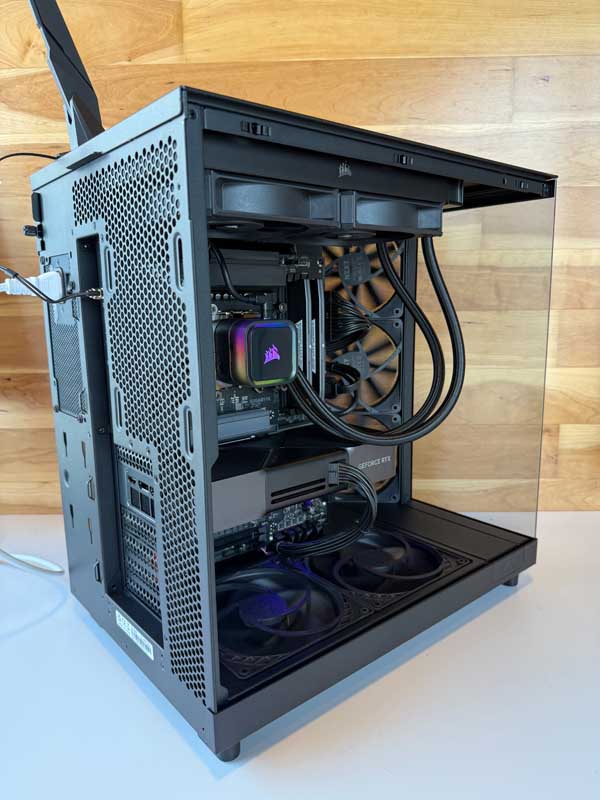
Best Computers for Stable Diffusion
Local image generation, control nets, upscaling, and fine-tuning LoRAs can overwhelm ordinary PCs. Stable Diffusion runs best on a workstation with serious GPU horsepower (and VRAM), a fast CPU for preprocessing, ample RAM for large batches, and high-speed NVMe storage for models and datasets. At DC Computers in Hillcrest, San Diego, we build and tune Stable Diffusion–optimized computers so generations are faster, upscales are cleaner, and creative iteration stays in flow.
Why Performance Matters for Stable Diffusion
From Automatic1111 and ComfyUI pipelines to SDXL and ControlNet graphs, Stable Diffusion is GPU-first. VRAM capacity dictates your max resolution, batch size, and whether you can run SDXL + refiner + control nodes simultaneously. CPU speed affects image preprocessing and certain pipeline nodes, while fast storage shortens model loads, checkpoints, and cache writes. Underpowered rigs mean OOM errors, tiny batch sizes, slow denoise steps, and painful previews. The right balance keeps your graph responsive and experimentation fun.
- GPU (graphics): Core engine for UNet/transformers; VRAM is king for SDXL, ControlNet, and high-res fix.
- CPU (processor): Helps with data transforms, safety filters, and orchestration across nodes.
- RAM (memory): Supports bigger batches, tiling, and multi-app workflows (ComfyUI + Photoshop + browser).
- NVMe SSD storage: Accelerates model loading, LoRA switching, and large cache/temp writes.
- I/O & thermals: Stable power, quiet cooling, and fast USB-C/reader ports streamline capture to creation.
With the right workstation, you’ll generate at higher resolutions, iterate faster, and spend more time creating than waiting.
What Makes a Great Stable Diffusion Computer
GPU Horsepower & VRAM (Top Priority)
Stable Diffusion favors NVIDIA GPUs for widespread CUDA/Tensor support across popular UIs and toolchains. More VRAM enables SDXL at native or oversampled resolutions, larger batch sizes, and heavier node graphs (ControlNet, IP-Adapter, Refiner). For power users, multi-GPU setups can split workflows or accelerate queues.
Fast, Modern CPU
While not the main bottleneck, a high-clock multi-core CPU improves preprocessing, model indexing, and orchestration—useful when juggling multiple apps and nodes.
Generous RAM for Bigger Batches
32–64GB is a practical sweet spot for SDXL pipelines alongside your browser, image editor, and reference tools. Heavier graph builds or local training/fine-tuning benefit from even more headroom.
NVMe SSDs for Models, LoRAs & Cache
Keep checkpoints, SDXL base/refiner, VAE, LoRAs, and embeddings on high-speed NVMe. Use a separate NVMe for temp/cache to reduce contention and speed reloads when swapping models frequently.
Quiet Cooling, Clean Power, Room to Grow
Long generation sessions and upscales demand quiet thermals and reliable power delivery. We also plan for future GPU upgrades (space, PSU sizing, airflow) so your rig scales with new models.
How DC Computers Helps (Mac & PC)
From a creator’s first SDXL box to a multi-GPU experimentation rig, we support every level of AI artist and developer. Prefer macOS for editing and curation? We stock and upgrade Refurbished MacBook, iMac, and Mac Studio systems. Need maximum SD performance? We design custom Windows workstations tuned for CUDA pipelines and VRAM-heavy graphs.
- Custom builds & upgrades: GPU/VRAM, CPU, RAM, and NVMe tailored to your SDXL + ControlNet workflow.
- Storage planning: Smart NVMe layout for models, LoRAs, embeddings, cache, and datasets.
- Data migration: Move models, configs, and UI presets cleanly between systems.
- Local support: Built, tested, and warrantied in San Diego (1-year in-store warranty).
Since 2009, our Hillcrest team has helped San Diego creators, agencies, and labs build AI workstations that stay responsive under heavy graphs and long sessions.
Built & Supported by DC Computers in San Diego
Services & Next Steps
- Stable Diffusion–ready custom PCs & refurbished Macs
- GPU/SSD/RAM upgrades and performance tuning
- Model/library organization and fast storage strategy
- Fast local diagnostics & repairs
- One-on-one expert consultation (phone or in-store)
Start Your Custom Build | Explore Pro Workstations | Browse Refurbished Macs