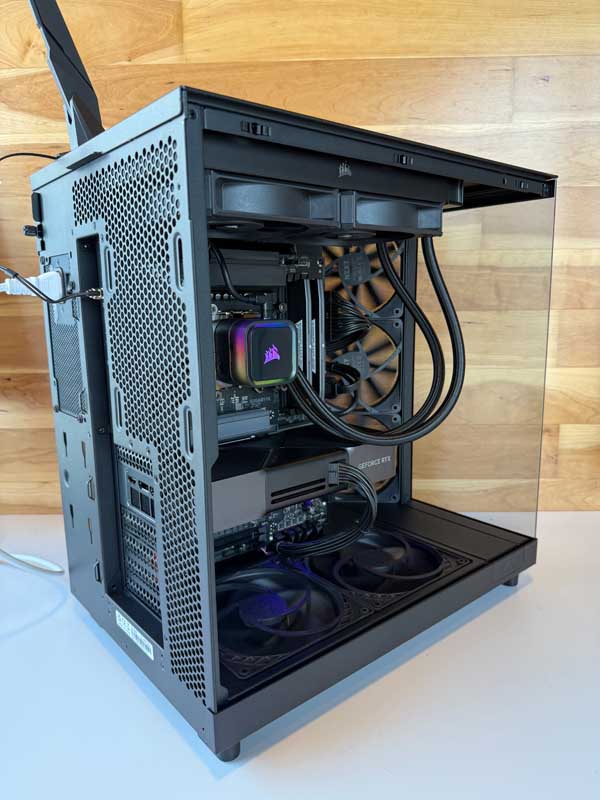
Best Computers for Ultimaker Cura
Slice complex 3D prints faster with systems custom-built, tested, and supported locally by DC Computers in San Diego.
Why 3D Printing Teams Need the Right Computer
Ultimaker Cura users manage dense STL meshes, optimized supports, and production schedules that hinge on fast slicing and reliable exports. Engineers, makerspaces, product designers, and educators all need responsive workstations that keep Cura, CAD tools, and printer management software running side by side.
DC Computers delivers new builds, refurbished Macs and PCs, and targeted upgrades backed by quick, in-person support from our Hillcrest, San Diego team.
Recommended Hardware for Ultimaker Cura
CPU (Processor)
- Cura slicing is CPU-bound; modern multi-core processors reduce wait times when generating supports and infill.
- We tailor CPU core count and boost clocks to your typical model complexity and queue volume.
GPU (Graphics)
- Cura’s viewport benefits from a dedicated GPU for smooth 3D navigation, especially with large assemblies.
- A mid-range GPU also supports CAD packages like Fusion 360, SolidWorks, and Blender that feed your print pipeline.
Memory (RAM)
- Most Cura users thrive with generous memory so CAD apps, mesh repair tools, and slicers stay open together.
- We size RAM capacity to handle high-resolution scans, lattice structures, and multi-project workflows without slowdowns.
Storage
- Use a fast NVMe SSD for OS, Cura, and active project files to accelerate load and export times.
- Add secondary SSD or NAS-ready storage for part libraries, G-code archives, and printer profiles.
Optimized for Popular Ultimaker Cura Software
Tuned for Ultimaker Cura, Cura plug-ins, CAD tools like Fusion 360, SolidWorks, Rhino, Blender, PrusaSlicer comparisons, Meshmixer repairs, and OctoPrint or Digital Factory monitors.
Ultimaker Cura Workstation Build Paths
Choose a starting tier and our San Diego technicians will align components with your printers, filament profiles, and production calendars.
1. Entry / Student / Budget
- Refurbished small-form-factor PC with modern multi-core CPU
- Responsive NVMe storage for quick slicing and G-code exports
- Ideal for classrooms, hobbyists, and single-printer setups
2. Daily Work / Pro Creator
- Custom desktop with modern multi-core CPU and dedicated workstation-class GPU
- Dual NVMe storage (projects + cache) with multi-monitor readiness
- Great for agencies, prototyping labs, and multi-printer makerspaces
3. Studio / Heavy Workloads
- High-core-count workstation tuned for batch slicing and automation scripts
- Expandable RAM banks, multiple NVMe drives, optional RAID for G-code versioning
- Supports enterprise print farms, complex resin models, and simulation workflows
Built & Supported by DC Computers in San Diego
Visit our Hillcrest showroom to test slicer-ready workstations, compare GPUs, and plan upgrade paths with specialists who understand additive manufacturing schedules.
- Custom-built systems assembled and stress-tested for Cura workloads
- Refurbished Macs and PCs optimized for 3D printing toolchains
- Upgrades for RAM, SSD, GPU, and networked storage
- Local diagnostics, warranty coverage, and printer integration assistance
Ultimaker Cura FAQ
Do I need a powerful GPU for Ultimaker Cura?
Cura calculations run on the CPU, but a dedicated GPU keeps 3D previews smooth and supports CAD tools feeding Cura. We size the GPU to your full design stack when you visit our San Diego shop.
Can DC Computers integrate my printers with the workstation?
Yes. We configure USB, Ethernet, and OctoPrint or Digital Factory setups so your Cura system talks cleanly with Ultimaker printers and mixed fleets, all supported locally in Hillcrest.
How quickly can I get a Cura-ready workstation?
Most custom builds finish within a few business days after stress testing, firmware updates, and profile imports. Local pickup or delivery is coordinated directly by our San Diego team.