
DC Computers, Mac and MacBook Repair in San Diego, California. 1070 University Ave Ste J101, San Diego, CA 92103 (Hillcrest). Mon-Fri 9:30am-6:30pm, Sat 12pm-4pm. (619) 255-4333.
Honest Mac & MacBook Repair in San Diego
Cracked screen, dead battery, or a Mac that will not turn on, we can help. DC Computers has repaired MacBook, iMac, Mac mini, and Mac Studio computers in Hillcrest since 2009. We diagnose first, give you an honest quote, and only start work once you say go.
Walk-ins welcome . Mon-Fri 9:30am-6:30pm, Sat 12pm-4pm
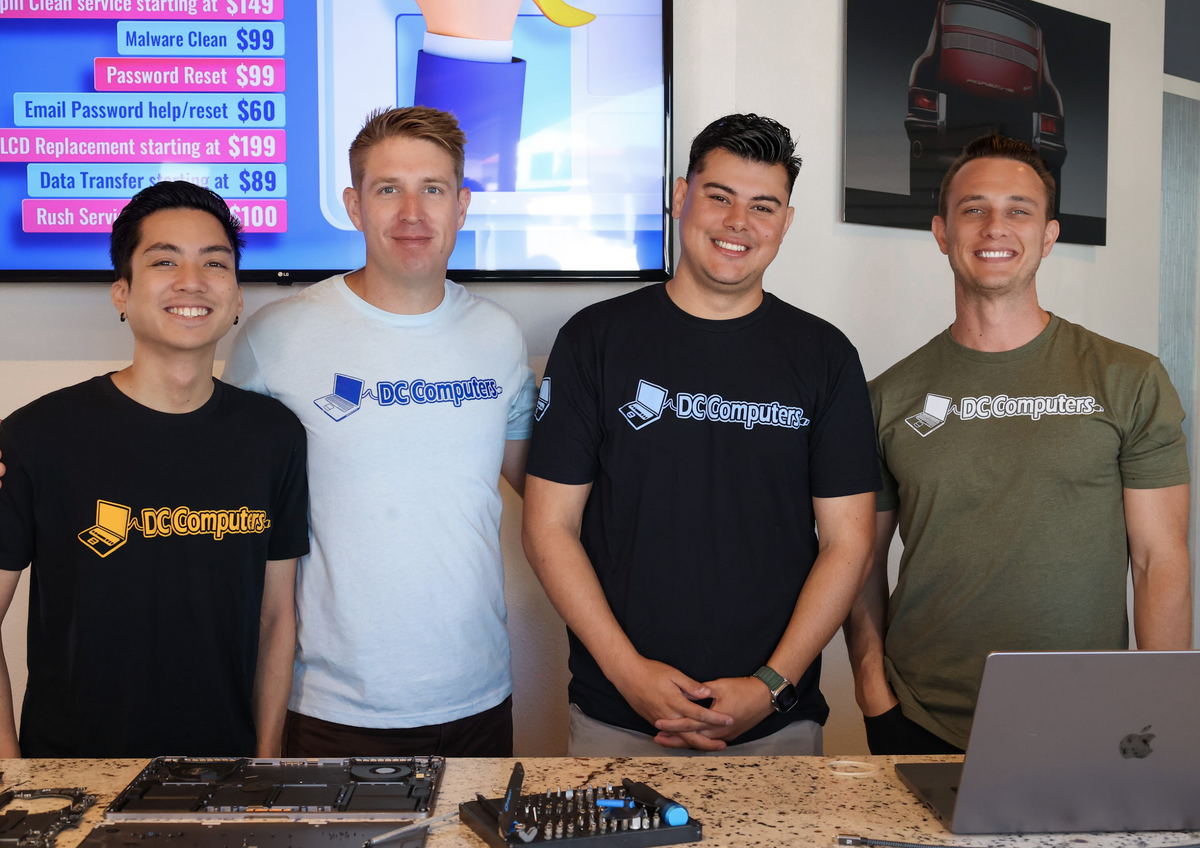
Meet the Team Behind Your Mac Repair
DC Computers is owned and run by Daniel and Chris, local San Diego techs who have been fixing Macs and PCs in Hillcrest since 2009.
When you bring in your Mac, you talk to the same crew that will be working on it, not a call center and not a mail-in service. We explain what is wrong in plain English, give you an honest quote, and treat your Mac and your data like our own.
Call (619) 255-4333 or stop by the shop in Hillcrest.
What We Fix on Macs
DC Computers repairs MacBook, iMac, Mac mini, Mac Studio, and Mac Pro computers. Common issues we handle include:
MacBook Screens
Cracked glass, dead pixels, lines, or a display that will not light up.
Battery Replacement
Swollen battery, short battery life, or a MacBook that only runs plugged in.
Keyboard & Trackpad
Sticky keys, unresponsive keys, or a trackpad that clicks wrong or not at all.
Storage & SSD
Slow performance, boot errors, or upgrading to a larger, faster SSD.
RAM Upgrades
Memory upgrades on models where the RAM is upgradeable.
Liquid Damage Cleanup
Spilled coffee or water on your Mac. We clean, dry, and assess the damage honestly.
No Power or Charging Issues
We handle charging port and DC-jack soldering plus board replacement or upgrade. For deeper logic board faults, we will tell you honestly whether repair, a board swap, or data recovery is the smart call. We do not attempt full chip-level micro-soldering.
Overheating & Fans
Loud fans, thermal shutdowns, or a Mac that runs hot under normal use.
macOS & Software
Slow startup, software conflicts, updates gone wrong, and general troubleshooting.
Data Recovery
Trying to pull files off a Mac that will not boot. We will give you an honest read on what is recoverable.
Macs We Service
Laptops
- MacBook Pro (13, 14, 15, 16 inch)
- MacBook Air (all generations)
- Apple Silicon M-series MacBooks
- Older Intel MacBooks
Desktops
- iMac and iMac Pro
- Mac mini
- Mac Studio
- Mac Pro
Browse our Apple and Mac products or see our full Apple product and PC repair services.
How Mac Repair Works at DC Computers
- DiagnoseWe take a look at your Mac and identify what is actually wrong.
- Honest QuoteWe give you a clear, honest quote for parts and labor before any work starts.
- You ApproveNothing happens until you say go. No surprise charges.
- RepairOur techs perform the repair using quality parts.
- TestedWe test your Mac before you pick it up, so you leave knowing it works.
San Diego Neighborhoods We Serve
Frequently Asked Questions About Mac Repair
Do you fix MacBook screens?
Yes. We repair cracked, dark, or malfunctioning MacBook and MacBook Pro screens, including Retina displays. Bring it in and we will identify your model and give you an honest quote.
How much is a Mac repair?
It depends on the model and the issue. We diagnose the issue first, then give you an honest quote before any work begins. There is no charge unless you approve the repair. See our honest pricing philosophy.
Can you recover data from a dead Mac?
Often, yes. If your Mac will not boot, bring it in and we will give you an honest read on what data is recoverable and what your options are. Learn more about our data recovery service.
Do you work on new M-series Macs?
Yes. We service Apple Silicon M-series MacBook Pro, MacBook Air, Mac mini, Mac Studio, and Mac Pro models along with older Intel Macs.
Can you fix my Mac the same day?
Many common repairs, like screens and batteries, can be completed same day when parts are in stock. We will give you a timeline after diagnosis.